No products in the cart.
Outdoor Adventure
A Hands-Free Drone for Solo Creators

02
Jan
Jan
Published January 1, 2026 10:00AM
Everyone is a photographer these days. The advent of phone cameras and the rise of social media has turned each of us into a budding cinematographer, documenting everything from annual ski trips to morning lattes. I’m not judging. I make a lot of videos for Outside as well as for my own social media feed, where I document my golf adventures. And like everyone else who creates videos, I’ve been looking for ways to distinguish my content and add variety. That search led me to the HoverAir X1 ProMax, a self-flying drone designed specifically for filming adventure sports—no remote control required.
After two months of use, the HoverAir X1 ProMax has become one of my favorite new pieces of gear. It’s not perfect, but it’s helped me capture genuinely dynamic footage with only a small learning curve.
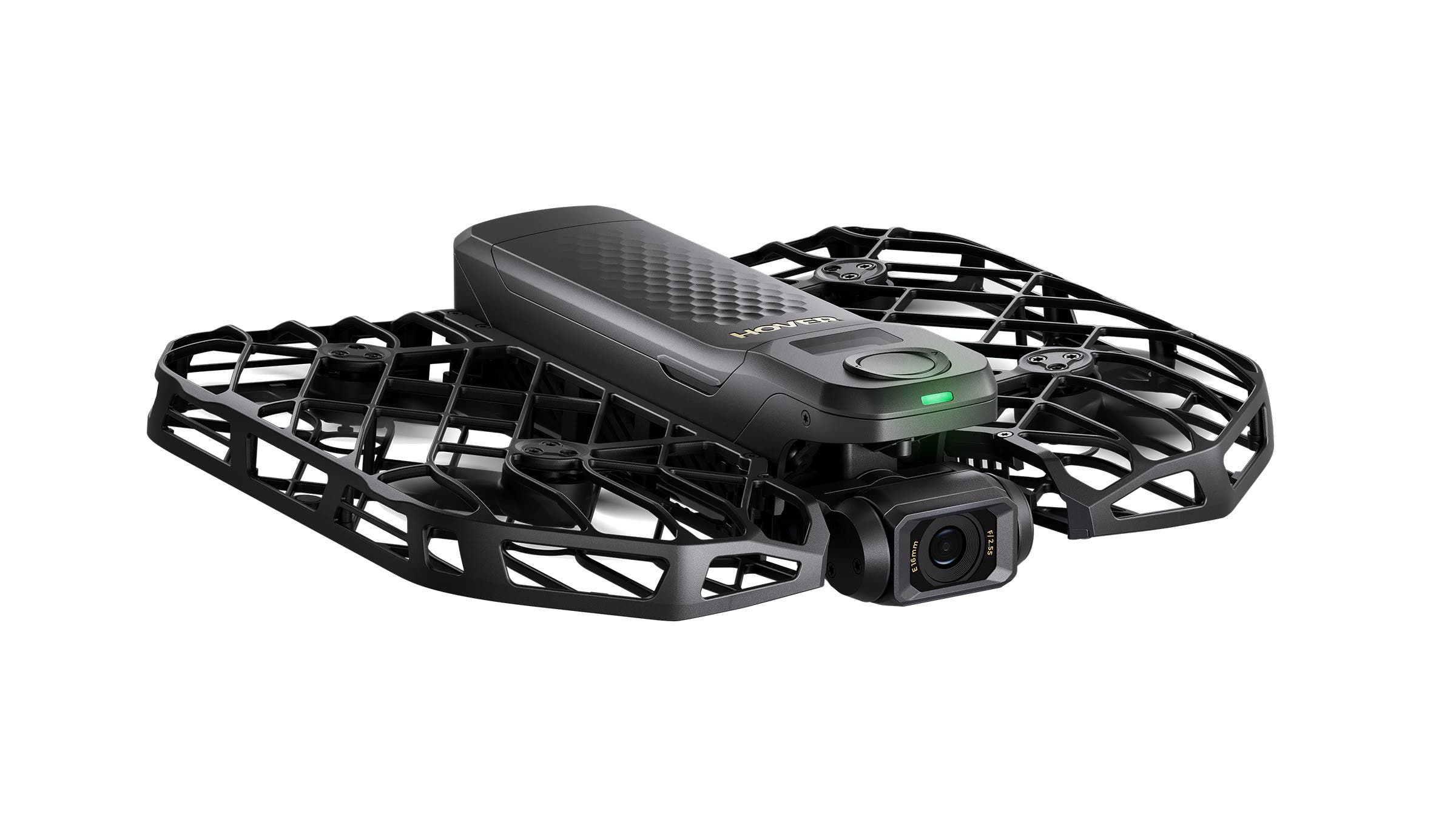
HoverAir X1 ProMax Drone
A Self-Flying Drone Built for Solo Shooters
With several drones now available for under $1,000, aerial video is no longer just for professionals. Still, most drones require a remote control—which is a problem when you’re filming yourself. I often test gear or shoot content alone, and unless I clone myself, I can’t both ride a bike and operate a controller at the same time.
That’s where the HoverAir X1 ProMax shines. Designed as a hands-free drone for solo creators, it features 10 built-in flight modes that you can activate with the push of a button. No controller. No setup hassle. It’s essentially a flying selfie stick.
Turn on the drone, choose a mode—like Bird’s Eye View for an overhead shot—and it launches directly from the palm of your hand, following a preset flight path. The whole experience is remarkably intuitive. I’m not a tech bro by any stretch (I still need help with my TV remote), but I was flying the HoverAir X1 ProMax straight out of the box without cracking the manual.
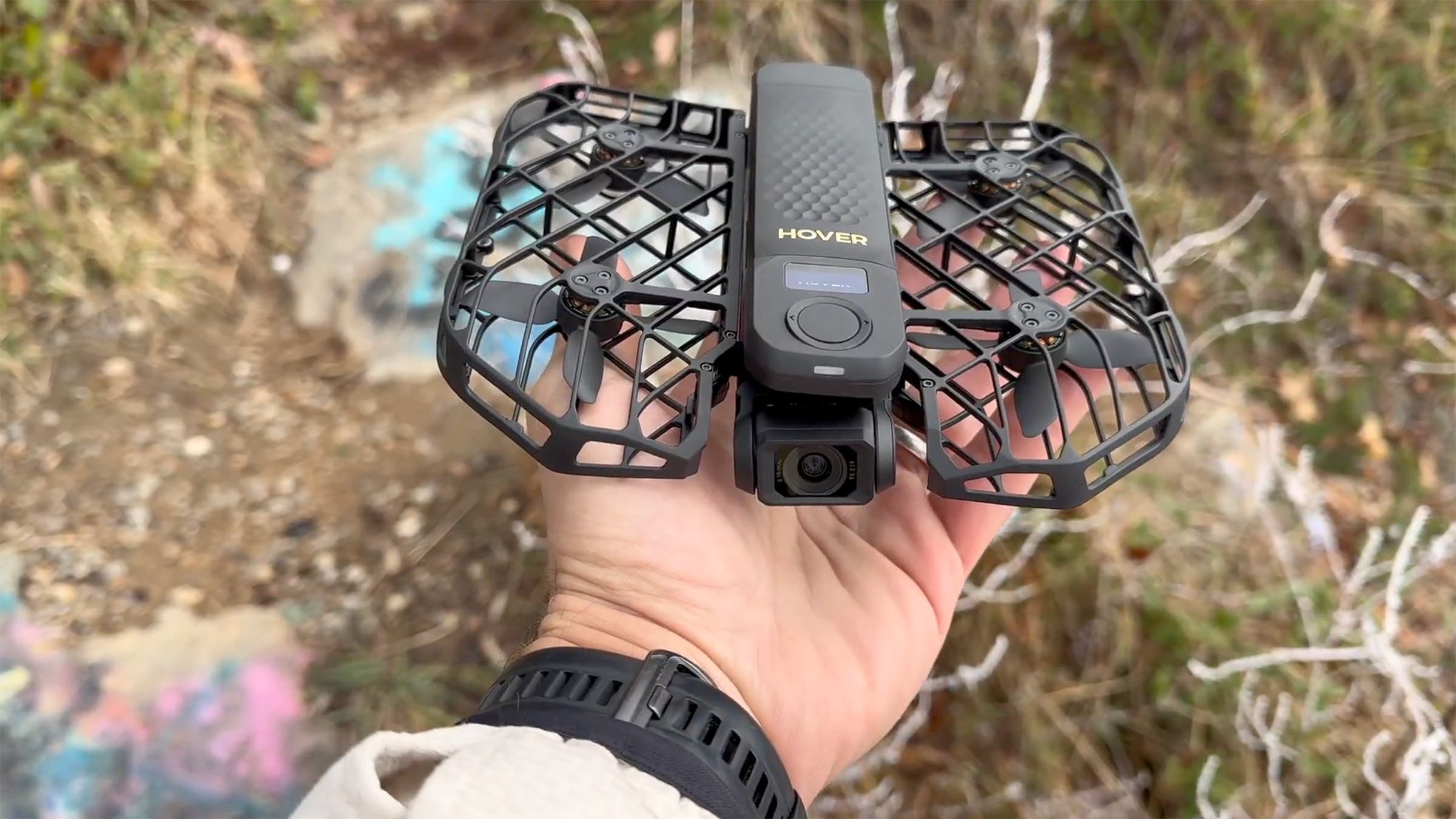
You can control the drone with voice commands like “take off” and “land,” but it also responds to hand gestures. When you’re done filming, simply extend your palm and it comes in for a landing.
The companion app is equally user-friendly. It lets you adjust video resolution, flight height for different modes, and aspect ratio depending on where you plan to post—Instagram, YouTube, or elsewhere. The controls feel streamlined rather than overwhelming, which fits the drone’s casual-shooter ethos.
Flight Modes That Deliver Dynamic Action Shots
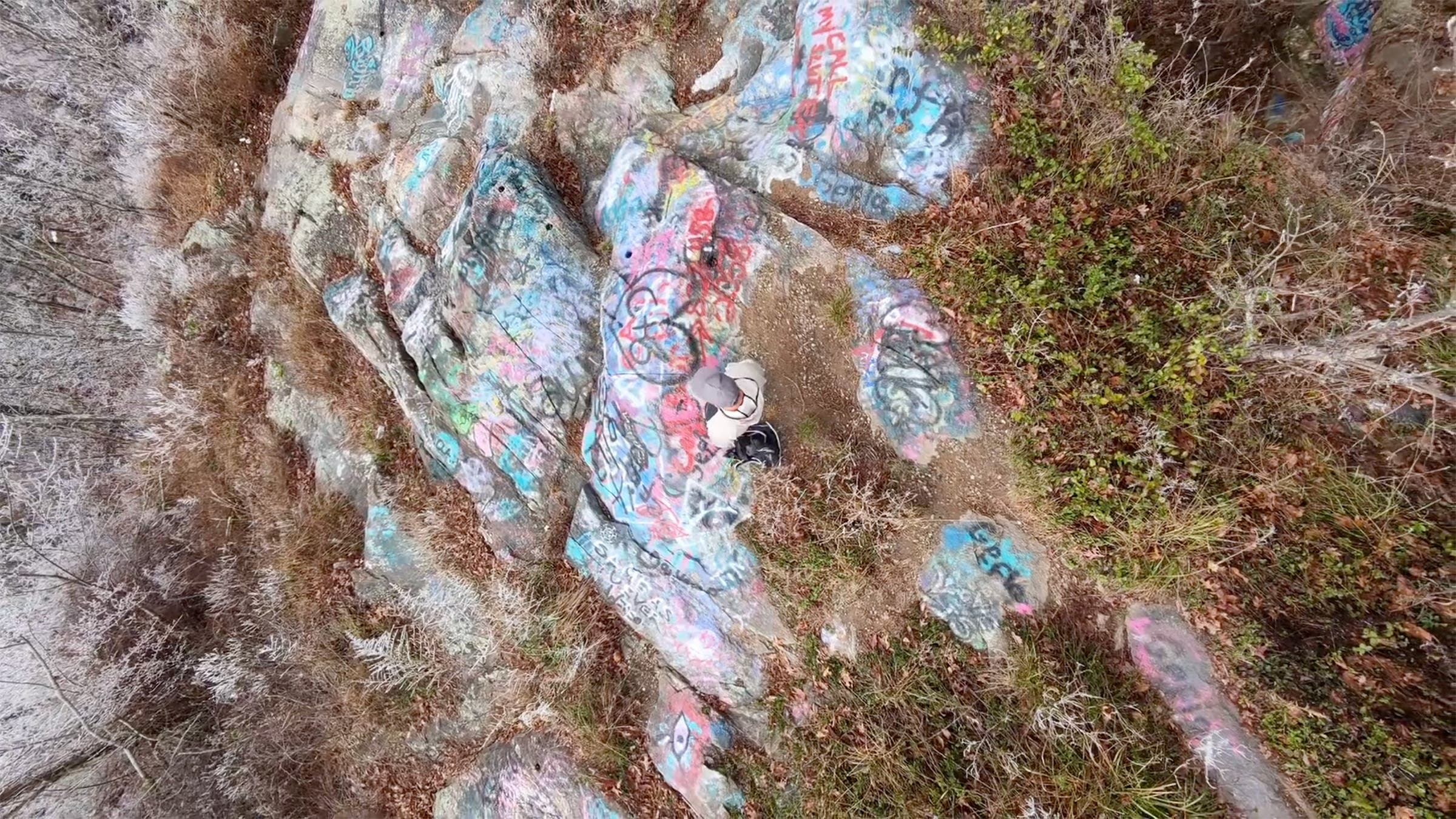
Flight modes are where the HoverAir X1 ProMax really stands out. It includes staples like Zoom Out, which starts tight on the subject (you) before pulling back to reveal the surrounding landscape, keeping you centered in the frame. Orbit is another highlight, circling the subject to capture a full 360-degree view—perfect for summit shots or scenic overlooks.
But my favorites are the subject-tracking modes built for movement. Cycling Mode follows you down a trail or road, while Side Track captures a chase shot from an angled, lateral perspective. The Spiral Mode is especially striking: the drone climbs roughly 16 feet into the air while circling the subject, creating a dramatic bird’s-eye shot that feels far more cinematic than anything you’d get with a handheld camera.
Image Quality and Stabilization
Image quality is excellent. The camera shoots 4K video at 120 frames per second, fast enough for clean slow-motion action shots, and features a 107-degree field of view. It’s wider than a phone camera but stops short of the fisheye distortion common with action cams like a GoPro.
Video is smooth, too, thanks to built-in image stabilization and a free-floating two-axis gimbal that does a solid job absorbing motion.
Battery Life and Portability
Battery life is rated at 16 minutes, which is enough for how I typically shoot—short, 30-second clips throughout the day. Still, if you’re filming continuously, that runtime can feel limiting. After a dozen scenes on a long adventure, the drone is usually on life support.
Thankfully, the HoverAir X1 ProMax comes with two batteries, making it easy to swap in the field.
At under seven ounces and smaller than a paperback book, portability is another strong suit. I usually stash the case in my backpack and keep the drone itself in a jacket pocket for quick access. The frame is made from an aerospace-grade material that’s lighter than carbon fiber but more elastic, so it can take a hit. I know because I’ve already crashed it a few times while pushing its flight modes to the limit.
Optional Beacon Remote and Audio Capture
I was drawn to this drone for its built-in flight modes, but you can also pair it with HoverAir’s Beacon ($139). This one-handed remote lets you fly manually or fine-tune preset modes mid-flight. It also includes a microphone, allowing you to record audio while the drone does its thing overhead—a nice bonus for creators who want narration without wearing a mic.
Where the HoverAir X1 ProMax Falls Short
There are limits. While the drone is designed as a follow camera for action athletes, it’s possible to outrun it. Top follow speed is 26 mph, which is plenty for skiing and most mountain biking, but fast downhill road rides can leave it behind.
The drone can also struggle in tight terrain. On straight paths, tracking is solid, but switchbacks and dense forests increase the risk of losing sight of the subject—or clipping a tree. Dolly Shot mode, which flies backward in front of you, is especially sensitive. In open terrain, it’s fantastic. In tight corridors, crashes are likely.
I also wish you could choose vertical or horizontal framing after shooting, as you can with newer GoPro models. With the HoverAir X1 ProMax, you need to decide before filming. It’s a small gripe, but for creators shooting across multiple platforms, it adds an extra layer of planning.
Final Verdict
The HoverAir X1 ProMax isn’t perfect, but it’s a highly capable, easy-to-use action sports drone that excels for solo creators. Over the past two months, it’s helped me capture dynamic footage that adds real creativity to my videos. With this drone in my quiver, I might never pull out a selfie stick again.
Writer’s note: The rules governing drone usage vary depending on the land manager. In general, drones are not allowed in national parks, but they are typically allowed in national forests as long as you’re flying them below 400 feet. No matter where you fly the drone, you have to adhere to FAA rules.
